Open this Jira issue in Starlie on Mac
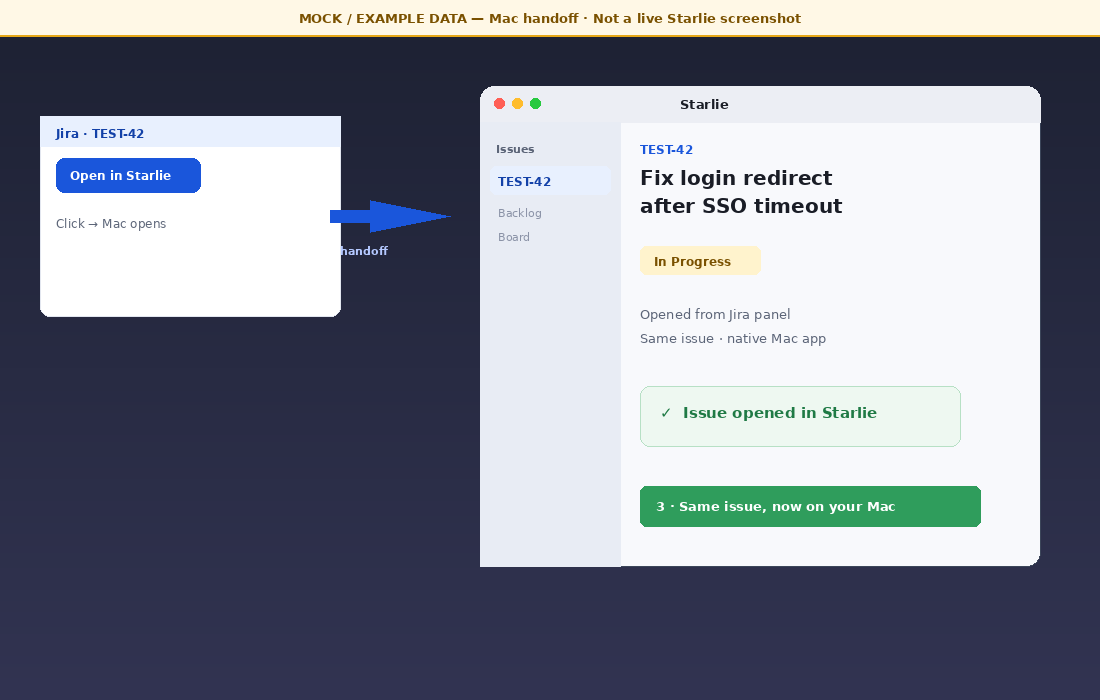
A small Starlie panel in Jira Cloud can open the same issue in the Mac app.
1 Why
Today vs target
Today: Most people find Starlie through the Mac App Store or our site. On the Atlassian Marketplace (Atlassian’s app store for Jira and other products) we have a Paid-via-Vendor desktop listing — customers pay us, not Atlassian. That listing does not install anything into Jira Cloud and does not put Starlie inside an issue.
Target: A public Forge Cloud app. Forge is Atlassian’s way to build apps that run inside Jira Cloud. A site admin installs it from the Marketplace. Then an issue panel can show on the issue with Open in Starlie. For Cloud Marketplace apps, billing must be Free or Paid via Atlassian (PvA) — customers pay Atlassian; we get a revenue share. Cloud apps cannot be listed as Paid via Vendor.
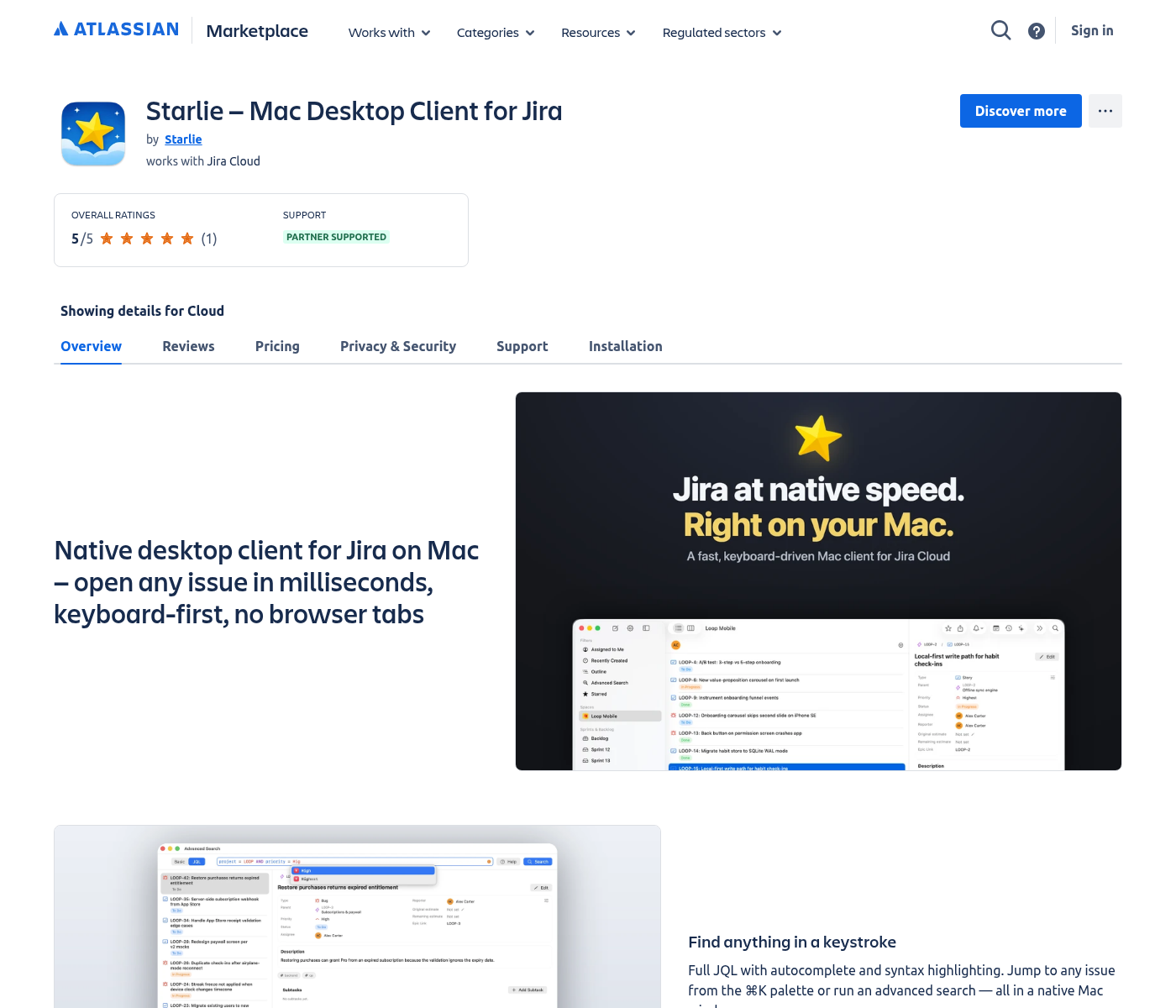
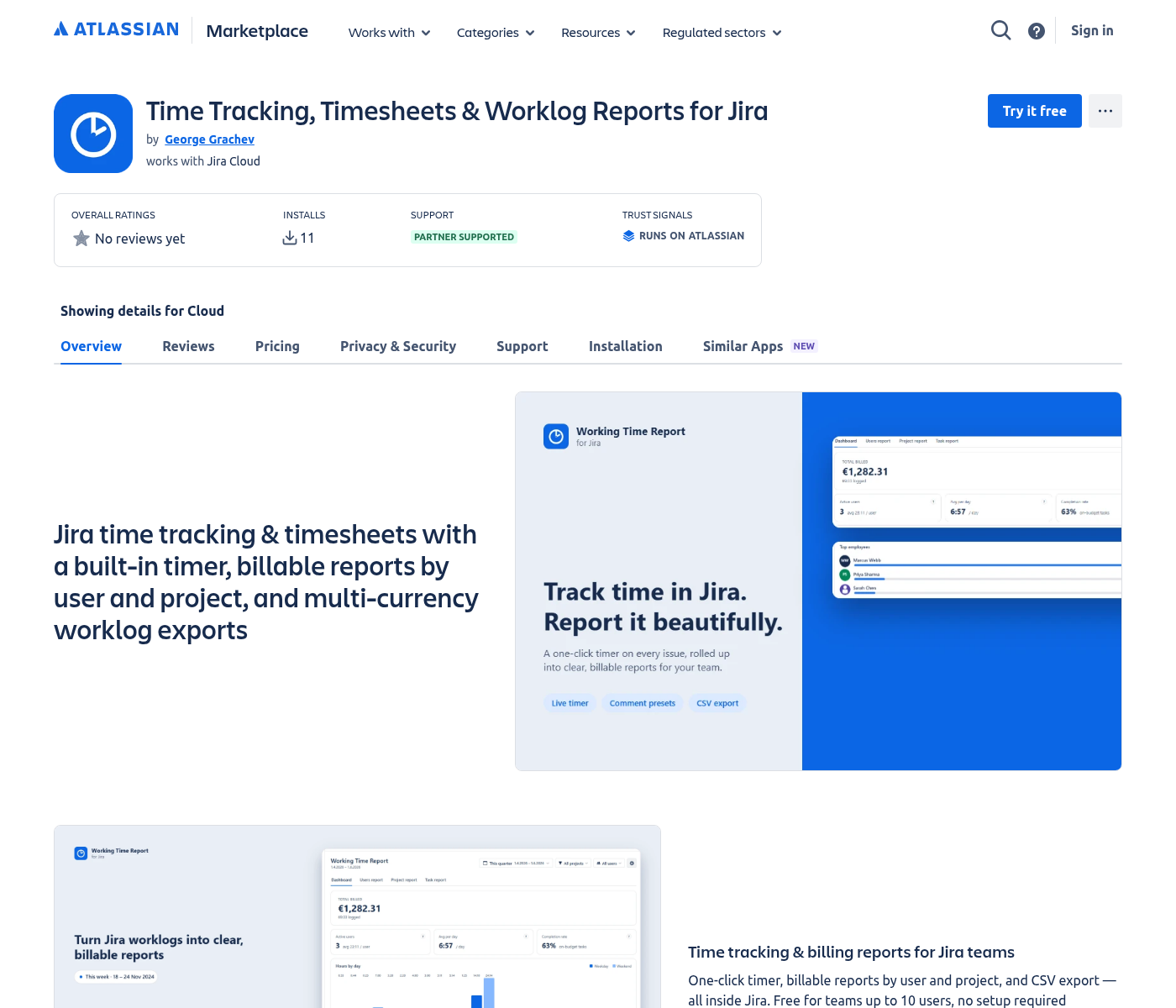
Today = Starlie Paid-via-Vendor desktop listing (Discover more — no in-Jira install). Target = public Forge Cloud app an admin can install (example listing above).
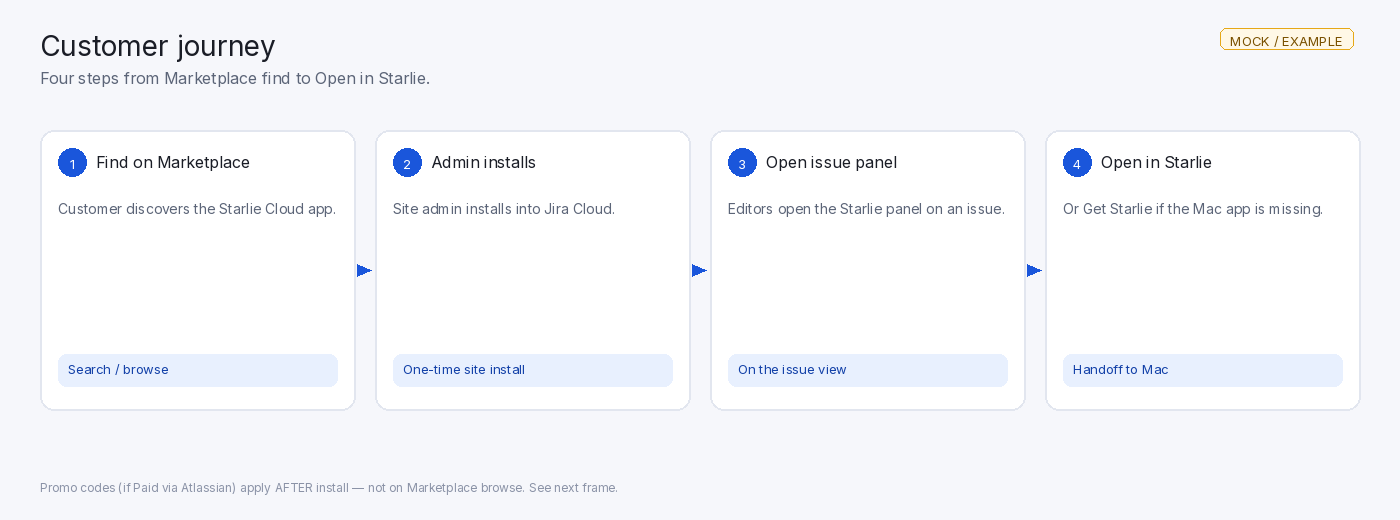
Customer journey
- Find the app on the Marketplace.
- A site admin installs it on the Jira Cloud site.
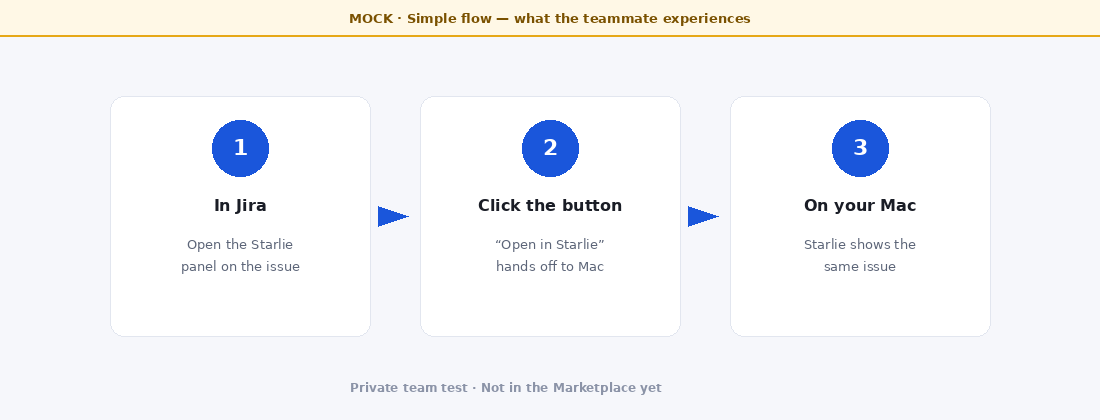
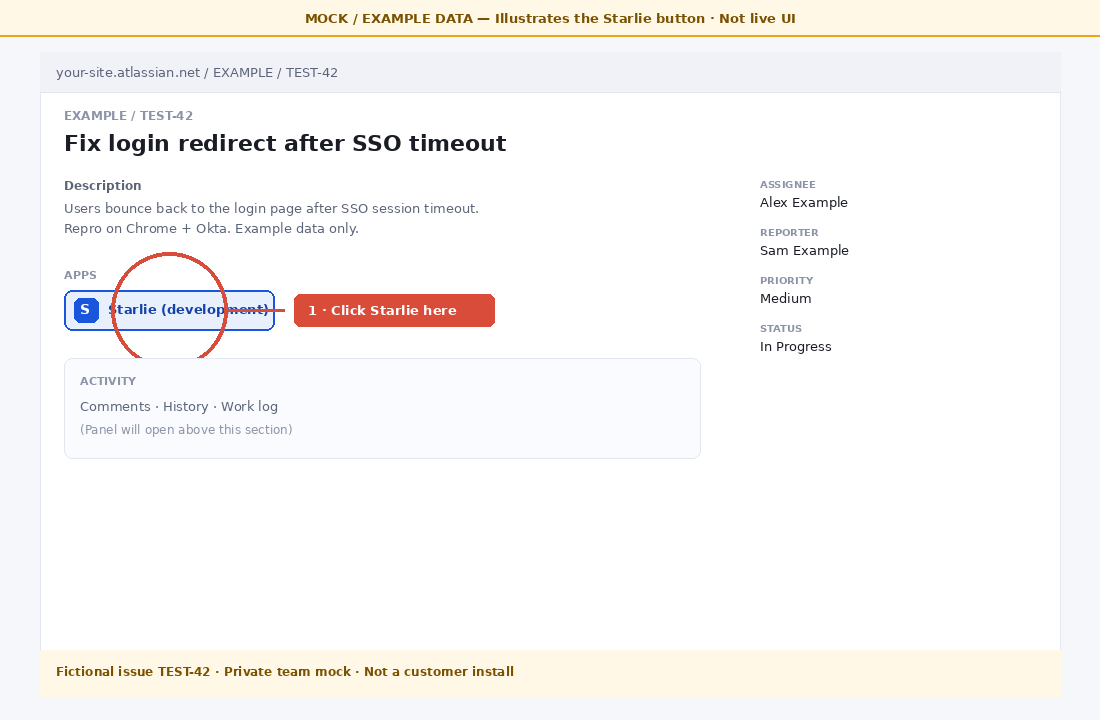
- On an issue, open the Starlie panel (editors see the control).
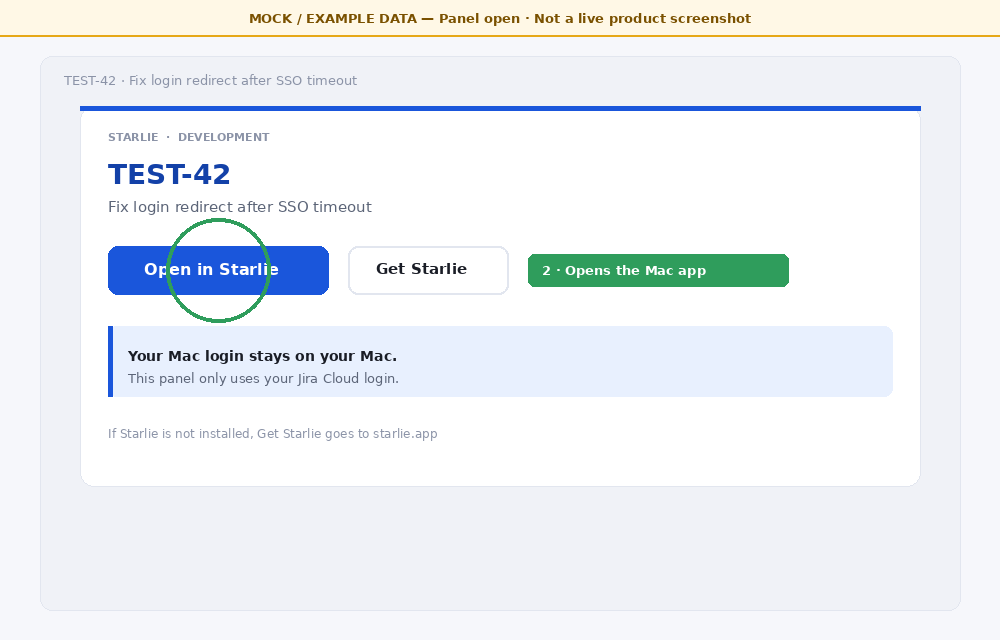
- Click Open in Starlie — or Get Starlie if the Mac app is missing.
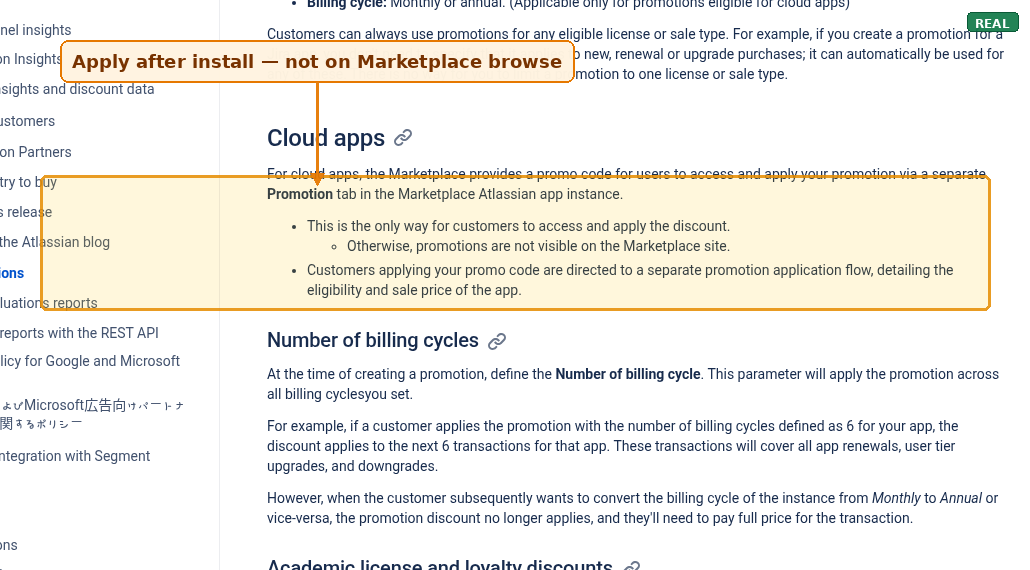
If the Cloud app is PvA and we create a promo: the customer applies the code after install (Promotion / Apply Promotion in the Atlassian app). Promo codes are not shown on the Marketplace browse page.
Where Cloud promos apply
Distribution levers
After a public PvA Cloud listing:
- Discovery + install — Marketplace search and in-product install by a site admin.
- PvA promos — we create codes; customer installs first, then applies the code (see docs figure above).
-
Selective co-marketing — Atlassian may promote some apps (blogs, newsletters, social, webinars, featured listings). They prioritize supported PvA apps. You can open a ticket — this is not a guarantee. See also attracting-new-customers docs.
Optional docs screenshot (co-marketing)
REALDocs — co-marketing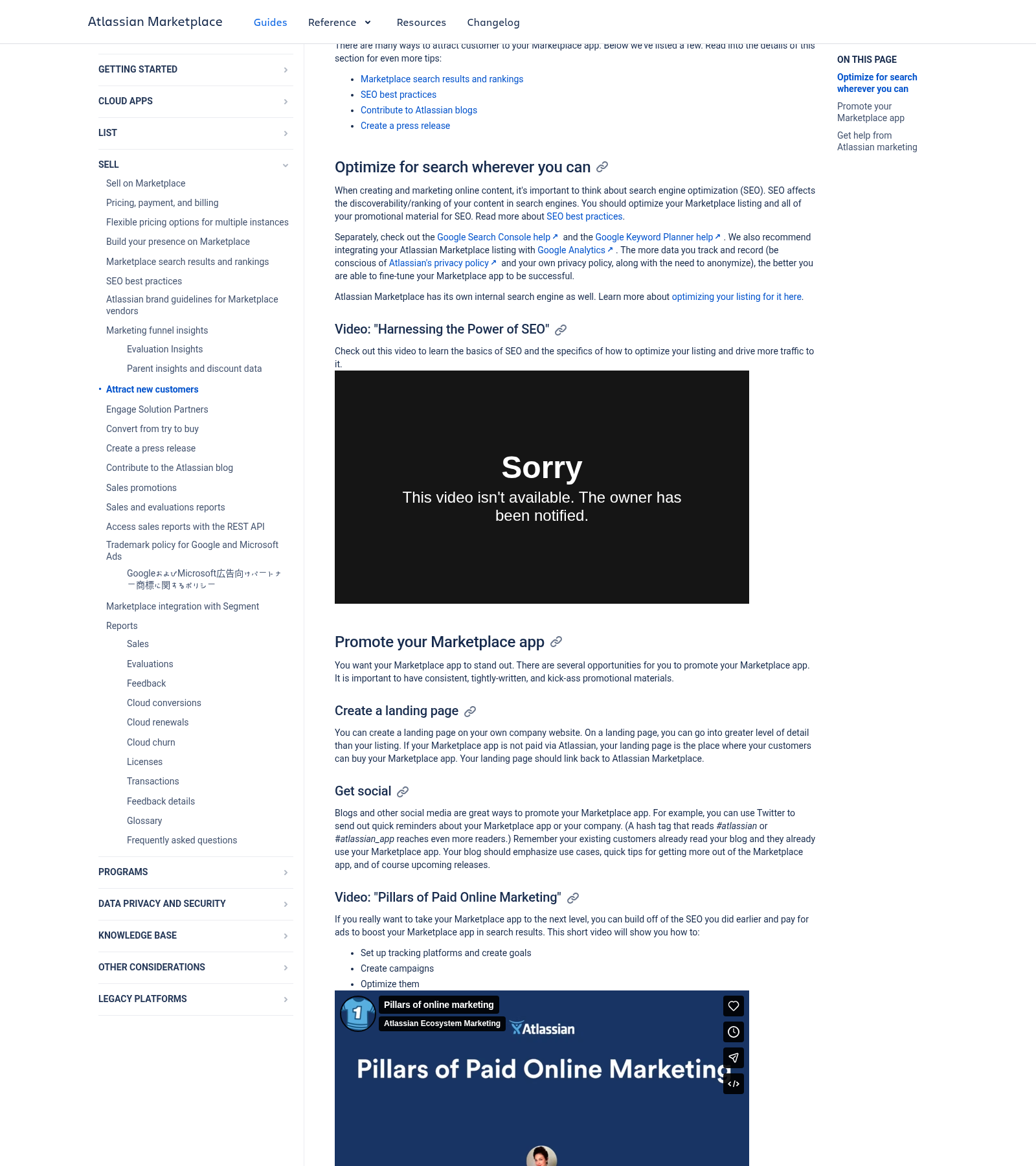
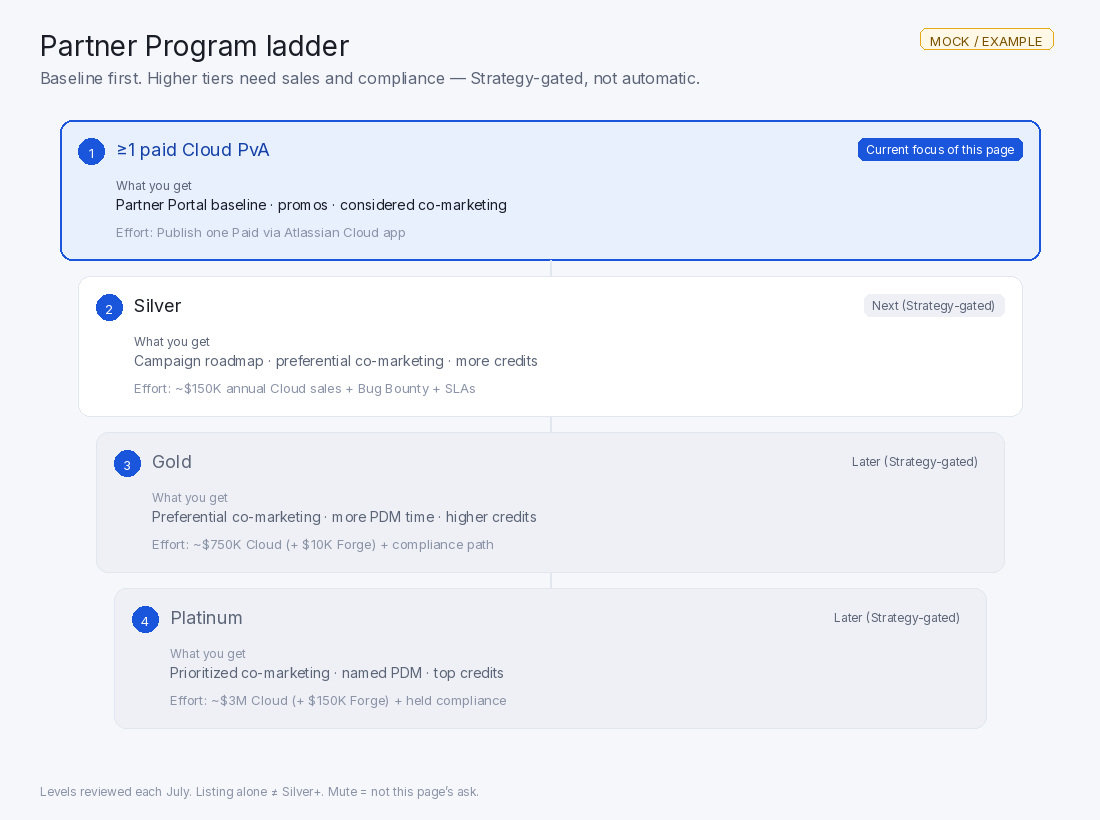
Public docs on attracting customers / Atlassian marketing help (selective — not a guarantee). - Marketplace Partner Program — one paid PvA Cloud app is the baseline gate. Higher tiers need sales, Bug Bounty, support SLAs, and compliance. Benefits escalate (badges, campaign roadmap, co-marketing priority, partner manager time, credits). See the official table below for Silver / Gold / Platinum thresholds (reviewed each July).
- Solution / Channel Partners — by default they can buy PvA apps for clients at a discount ≤ 20% of list price (opt out per listing).
Private install alone does not unlock these Marketplace perks.
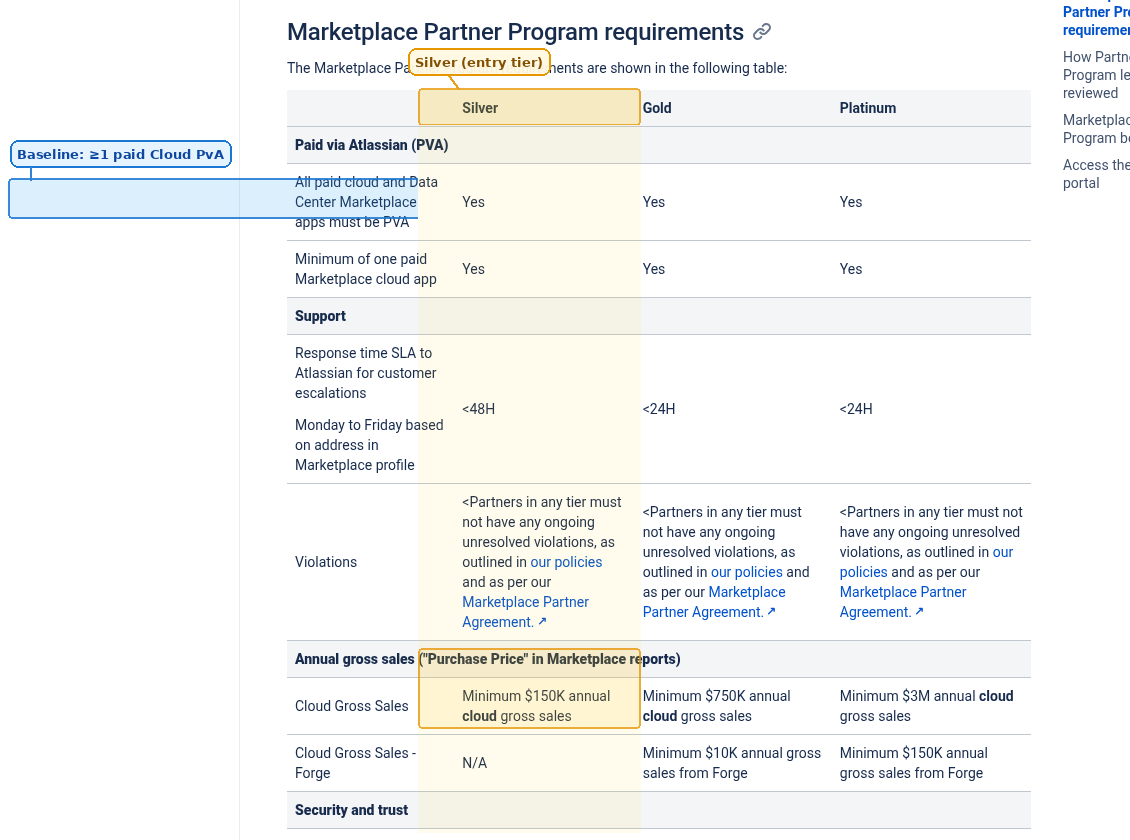
Full Partner Program table (REAL)
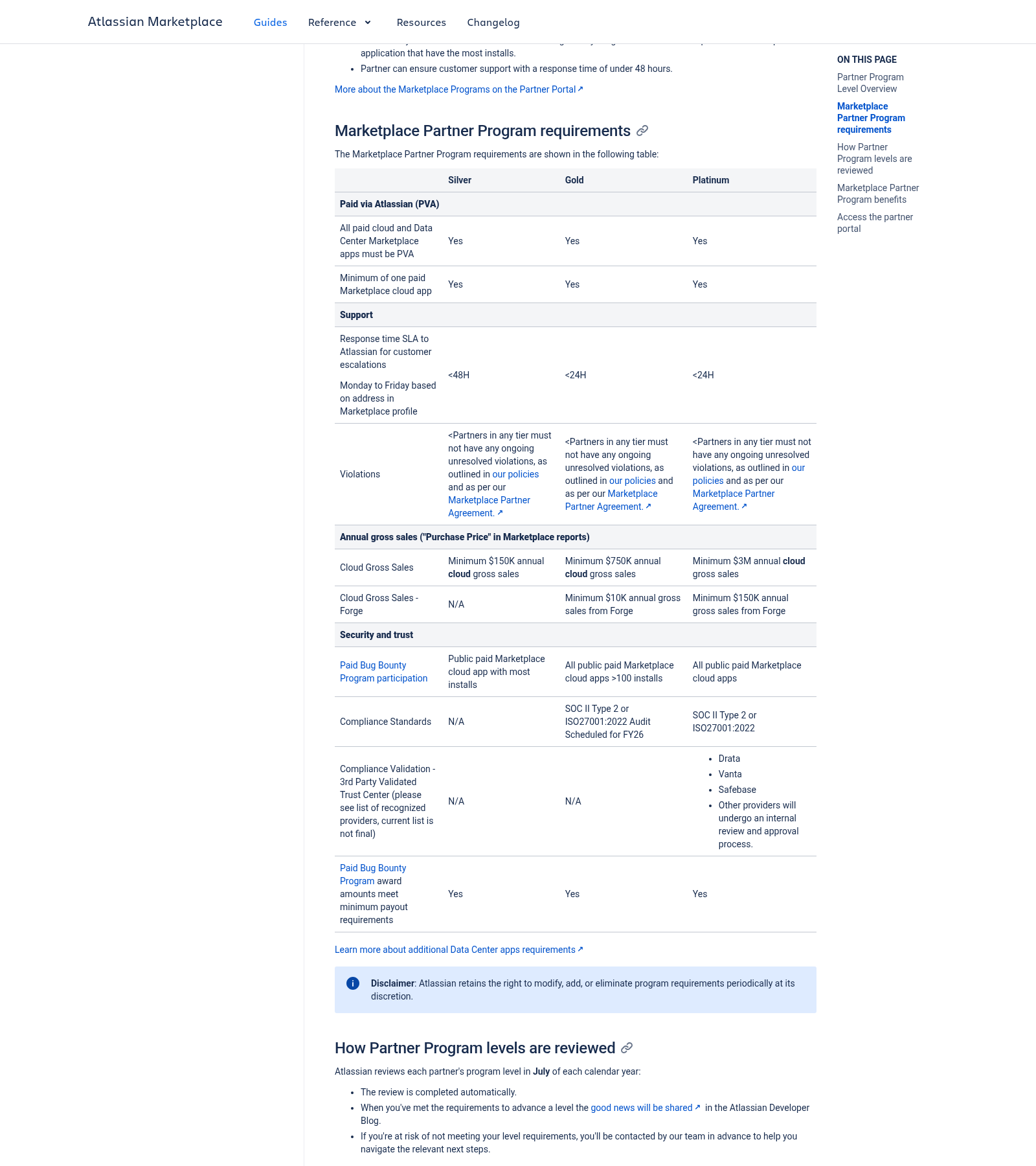
Simplified ladder (MOCK)
Economics
As of 1 Jan 2026, partners get 100% of gross revenue on qualifying Forge apps up to $1M lifetime Forge revenue, then the standard Forge share (84% from 1 Apr 2026; 83% from 1 Oct 2026).
Not unlocked by listing alone
- Runs on Atlassian — separate eligibility; badge is automatic only if rules are met.
- Cloud Fortified — new submissions stopped; program retires; successor is Atlassian Enterprise Certified (separate apply).
- Bug Bounty — separate enrollment and funding; not automatic from listing.
Honest unknowns [?]
- How much organic Marketplace traffic a thin companion gets.
- Any guaranteed featured placement or co-marketing win.
- Exact Marketplace approval for Free Cloud panel + paid Mac app — case by case against guidelines.
Screenshot sources: assets/REAL-SCREENSHOTS-SOURCES.txt (public Marketplace + developer docs, 2026-09-26).
2 One feature
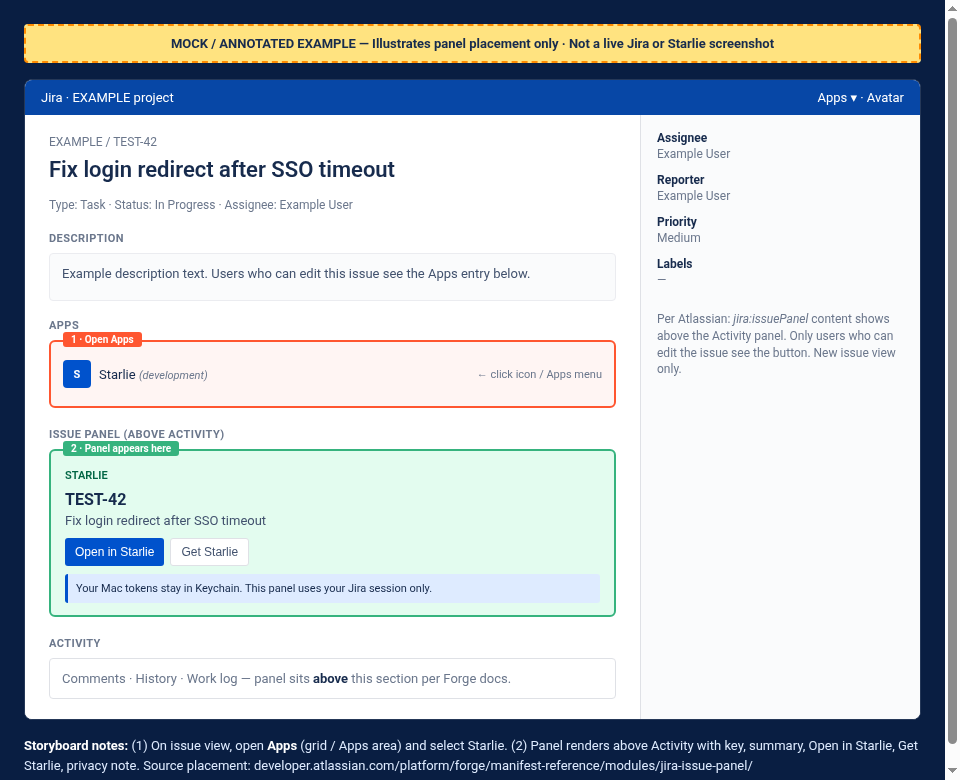
A panel on the Jira Cloud issue view with:
- issue key + summary
- Open in Starlie
- Get Starlie if the Mac app is missing
Two logins stay separate. The panel uses your Jira Cloud login. Mac tokens stay on the Mac.
3 Path
- David reviews
starlieapp/starlie#79— only that feature. - Merge, register, deploy, install on our site, verify the Mac open-link (
starlie://issue/{KEY}). - Submit to Marketplace and pass audit.
- Publish — then the distribution levers above.
Private install alone does not unlock Marketplace perks.
4 How the panel looks
Secondary mocks — product UI shape only. Every picture is MOCK / EXAMPLE DATA. TEST-42 is fictional.
For operators Optional — private install CLI
Skip if you only need the product idea. Do not run as root / sudo.
Spelling is always Starlie (never Starly). This page is for Nikita and Starlie teammates. Facts follow the internal Marketplace levers note (seen 2026-09-26).